Automatic addition of dimensions and dimensional tolerances

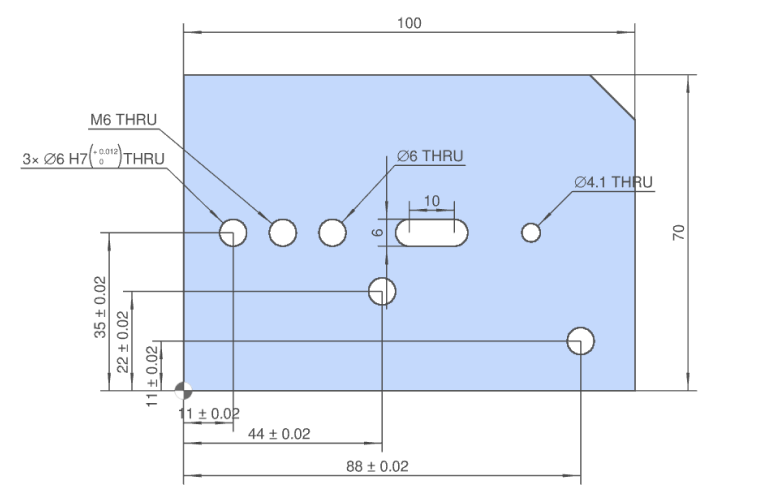
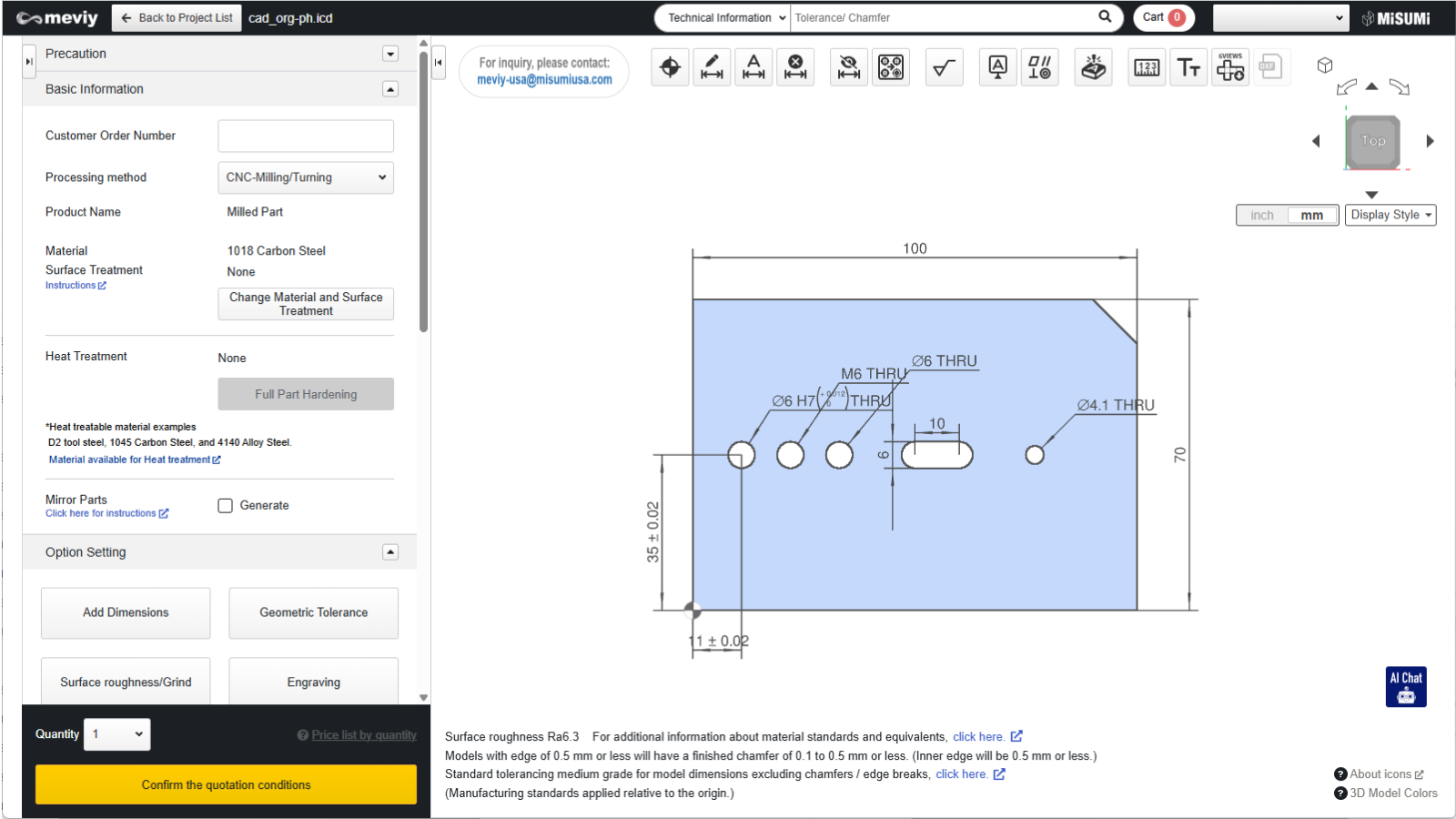
This function allows you to automatically add position dimensions and dimensional tolerances from the origin to precision holes when uploading a model.

It is a useful feature that requires no setup operations.

What is automatic addition of dimensions and tolerances?

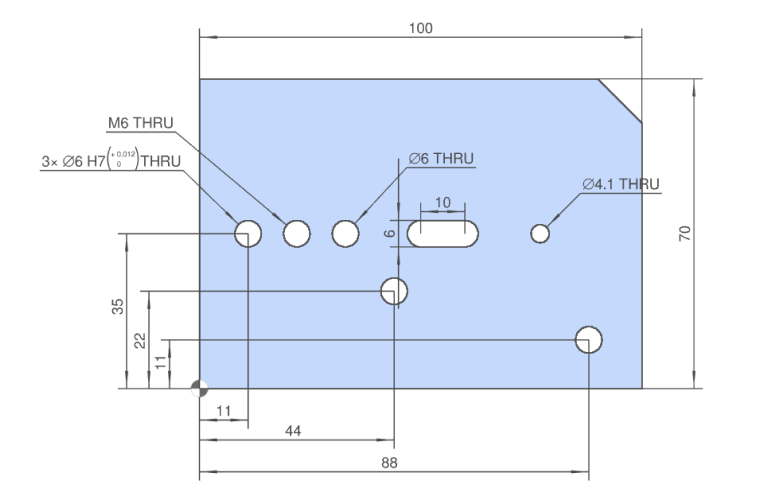
This feature automatically adds position dimensions and tolerances from the origin to precision holes when uploading a model.
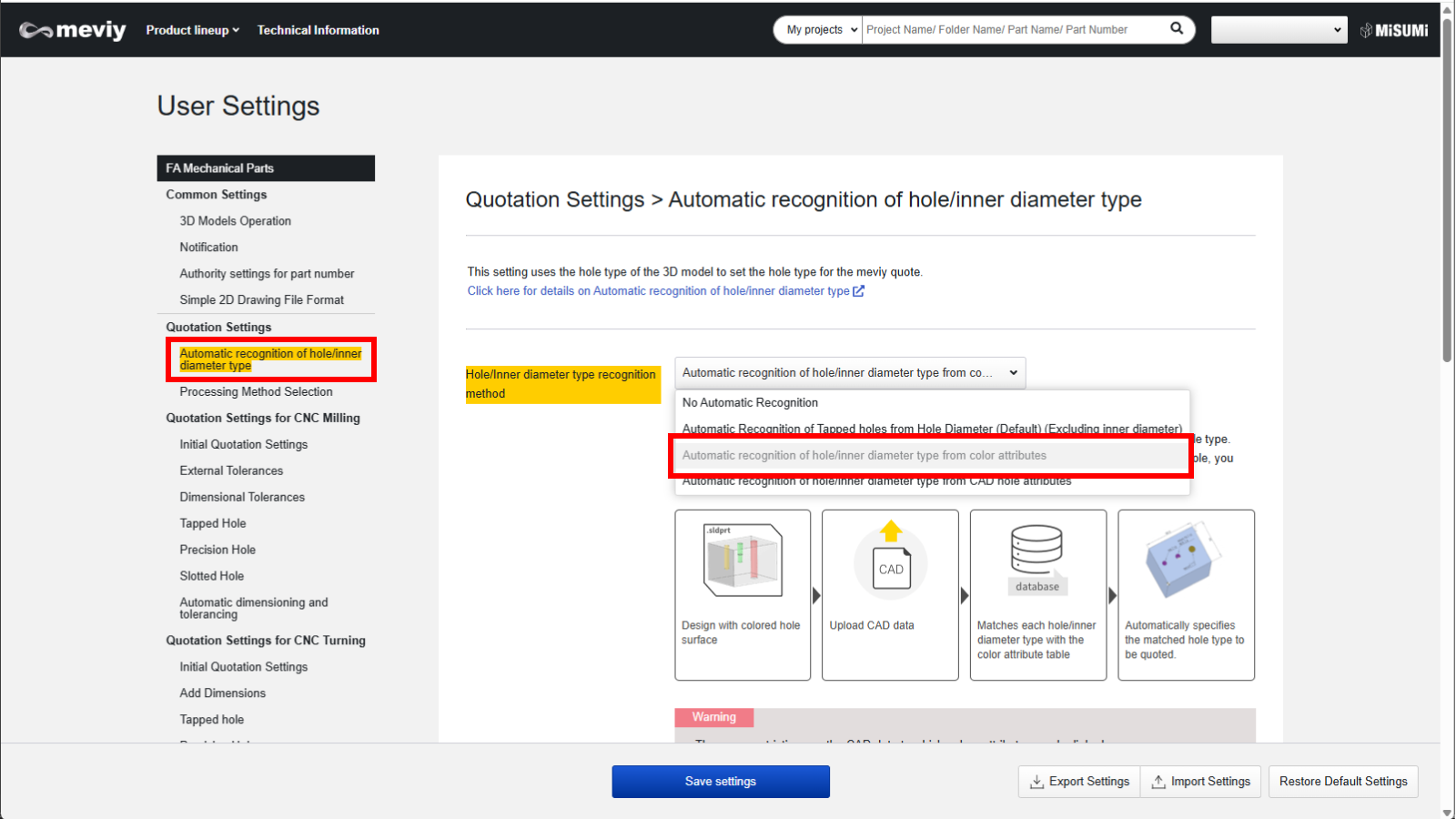
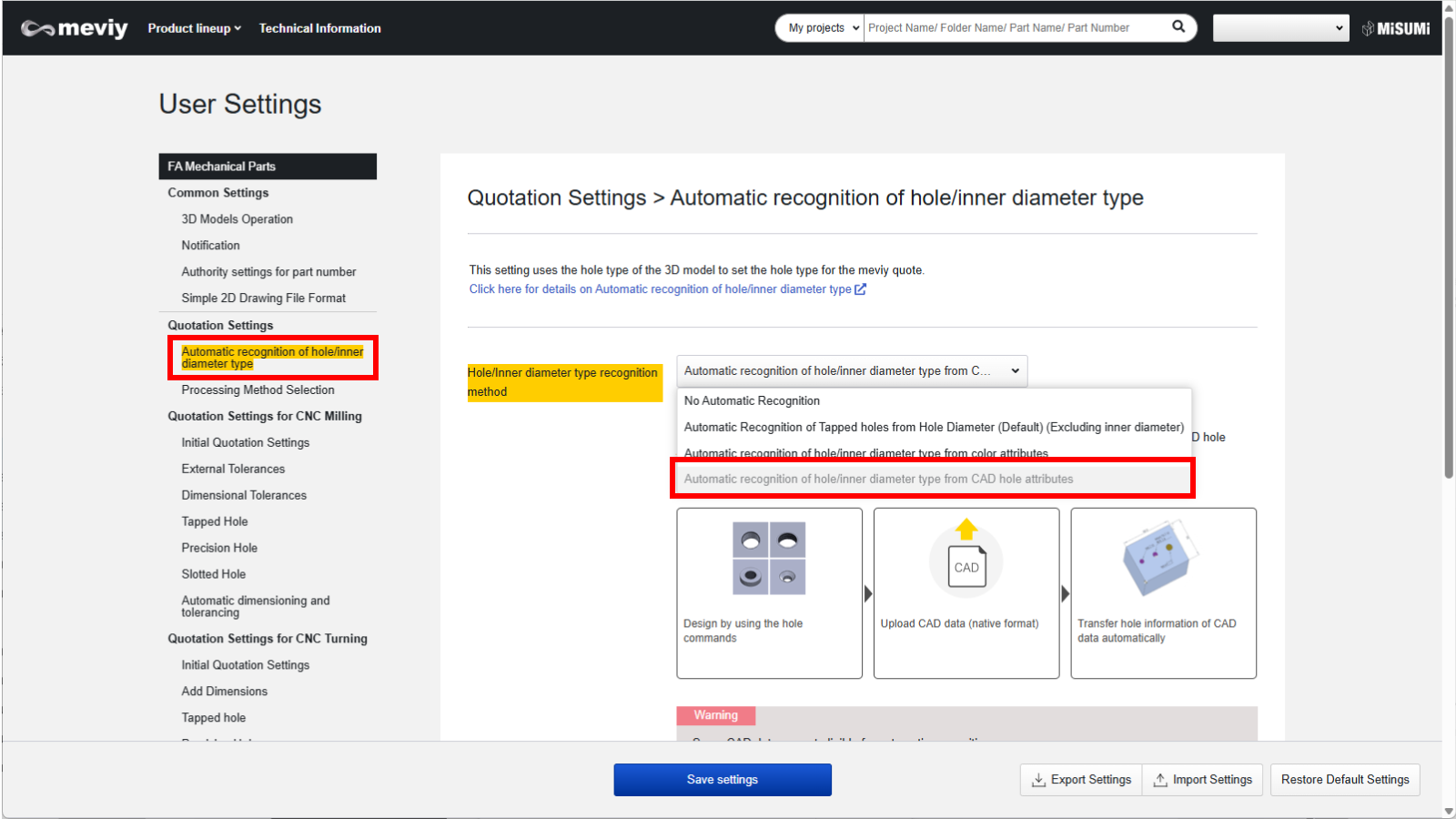
*To use this feature, CAD color attribute linkage or hole attribute linkage settings are required.(Reference:Automatic hole/inner diameter type Recognition
■Position dimensions from origin to precision hole
■Position dimension tolerance from origin to precision hole

How to use this feature

Set up the CAD color attribute linkage or hole attribute linkage in User Settings.

For detailed instructions, please refer to the user manual page at the link.(Reference:Automatic hole/inner diameter type Recognition
■Color attribute linkage
■Hole attribute linkage
To use this feature you must first register your user settings.
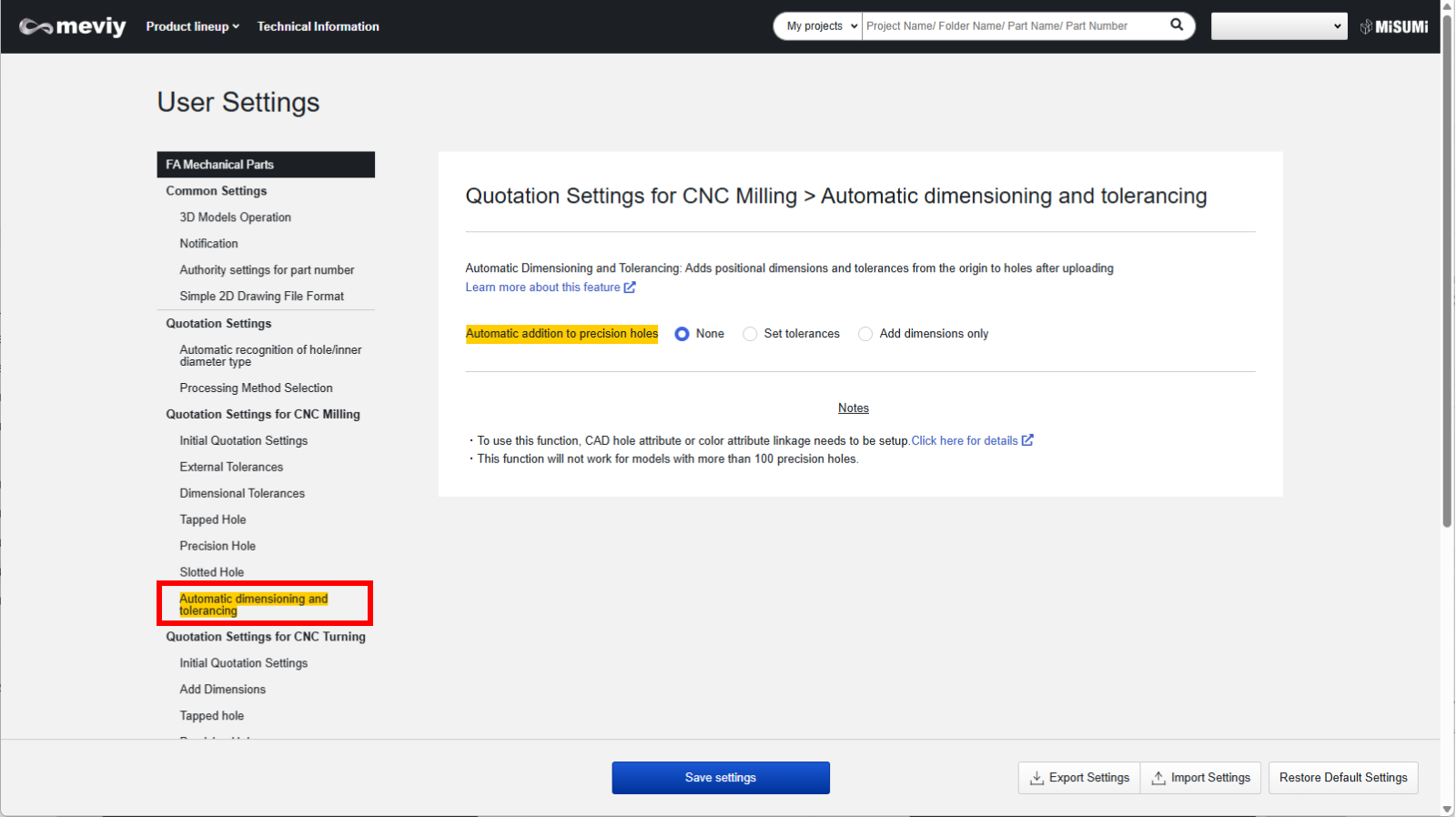
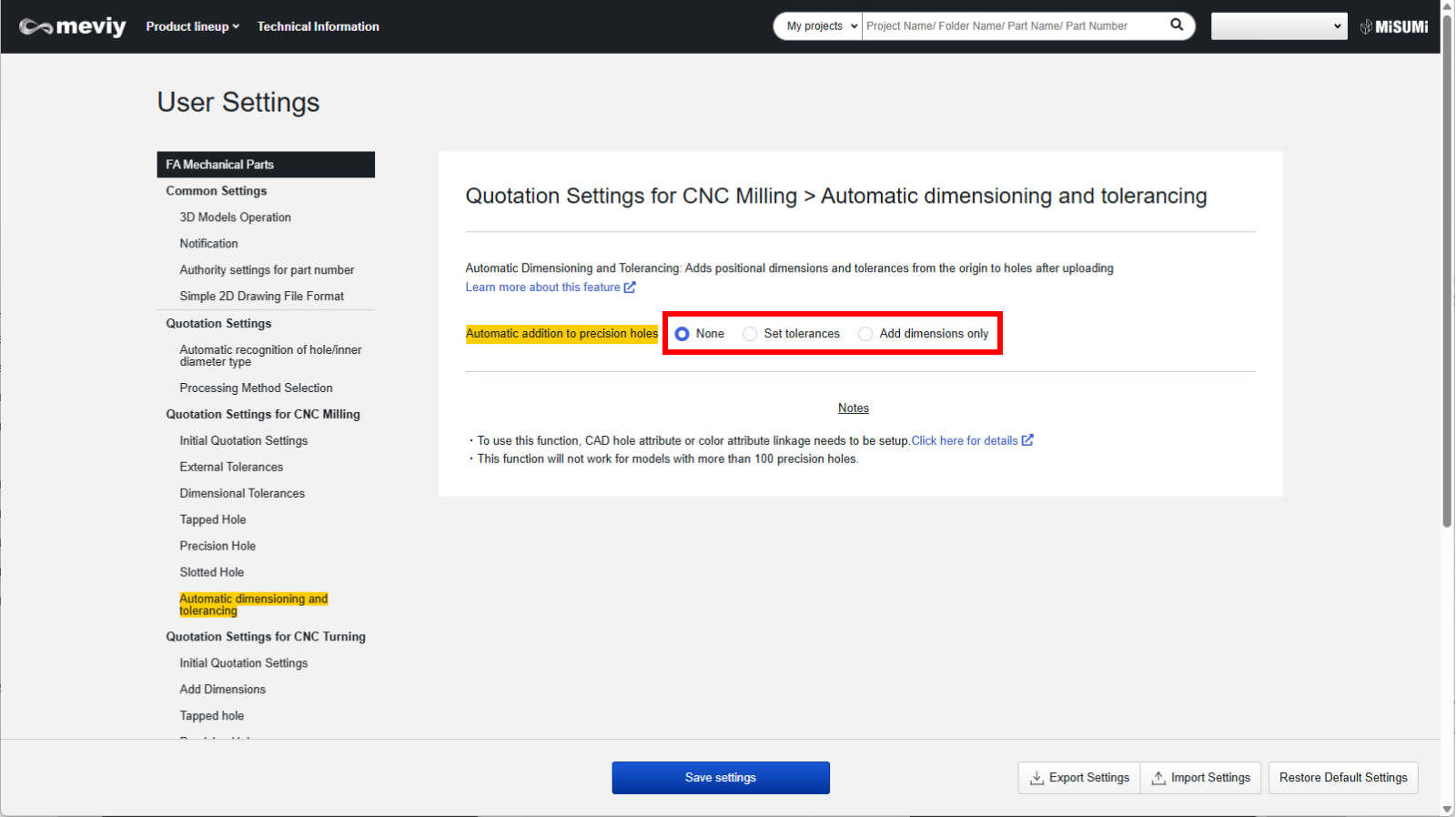
■STEP1: Select [ Automatic dimensioning and tolerancing ] in the user settings.

■STEP2: Select “Set Tolerances” or “Add Dimensions Only”.

Notes

  • If you want dimensional tolerances to be set, click Set Tolerances.
  • If you only want to add dimensions, select Add dimensions only.

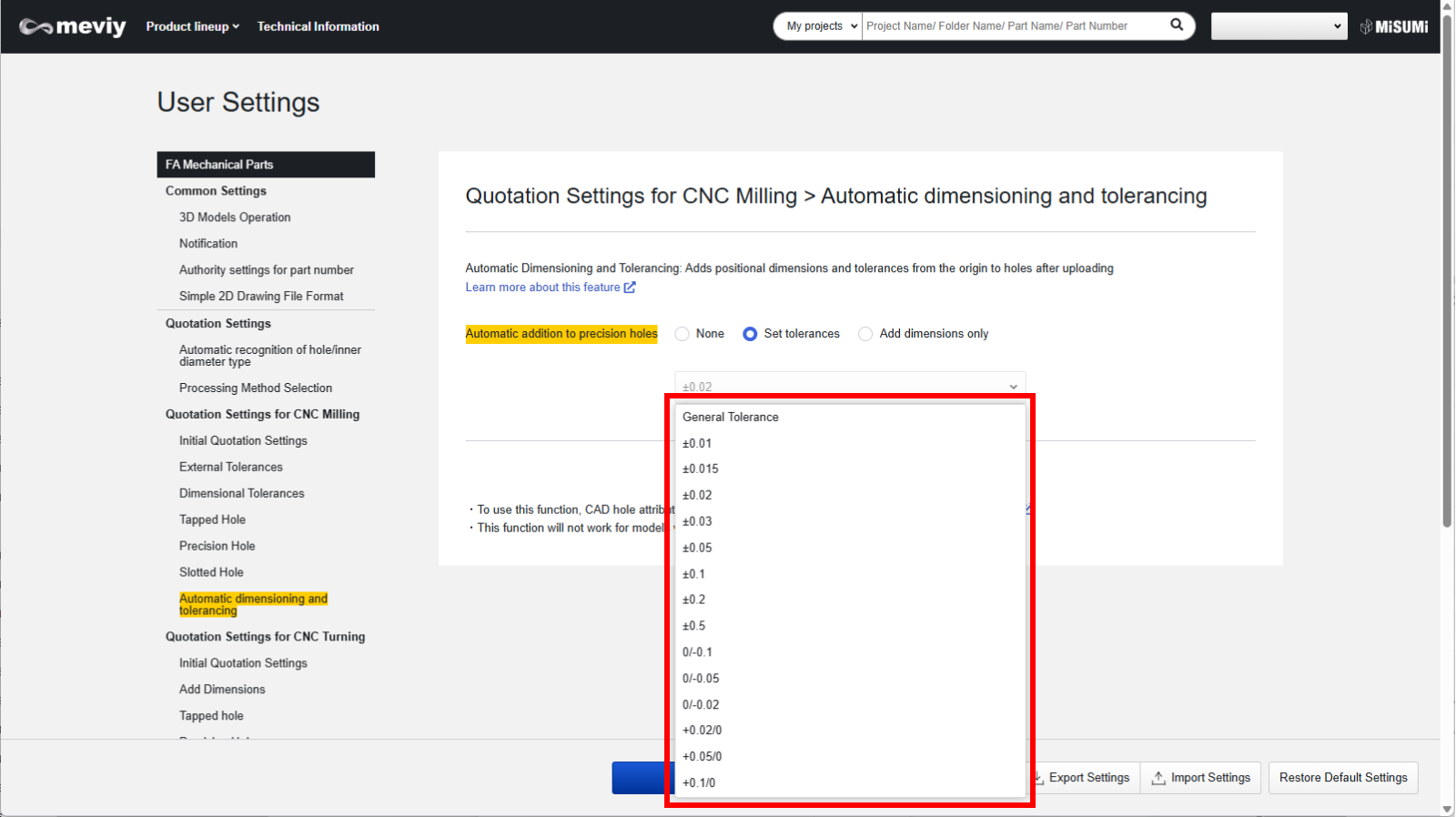
■STEP3: If you selected “Set Tolerances”, choose the tolerance value.

Notes

If you selected Add Dimensions Only, you cannot select tolerance values.
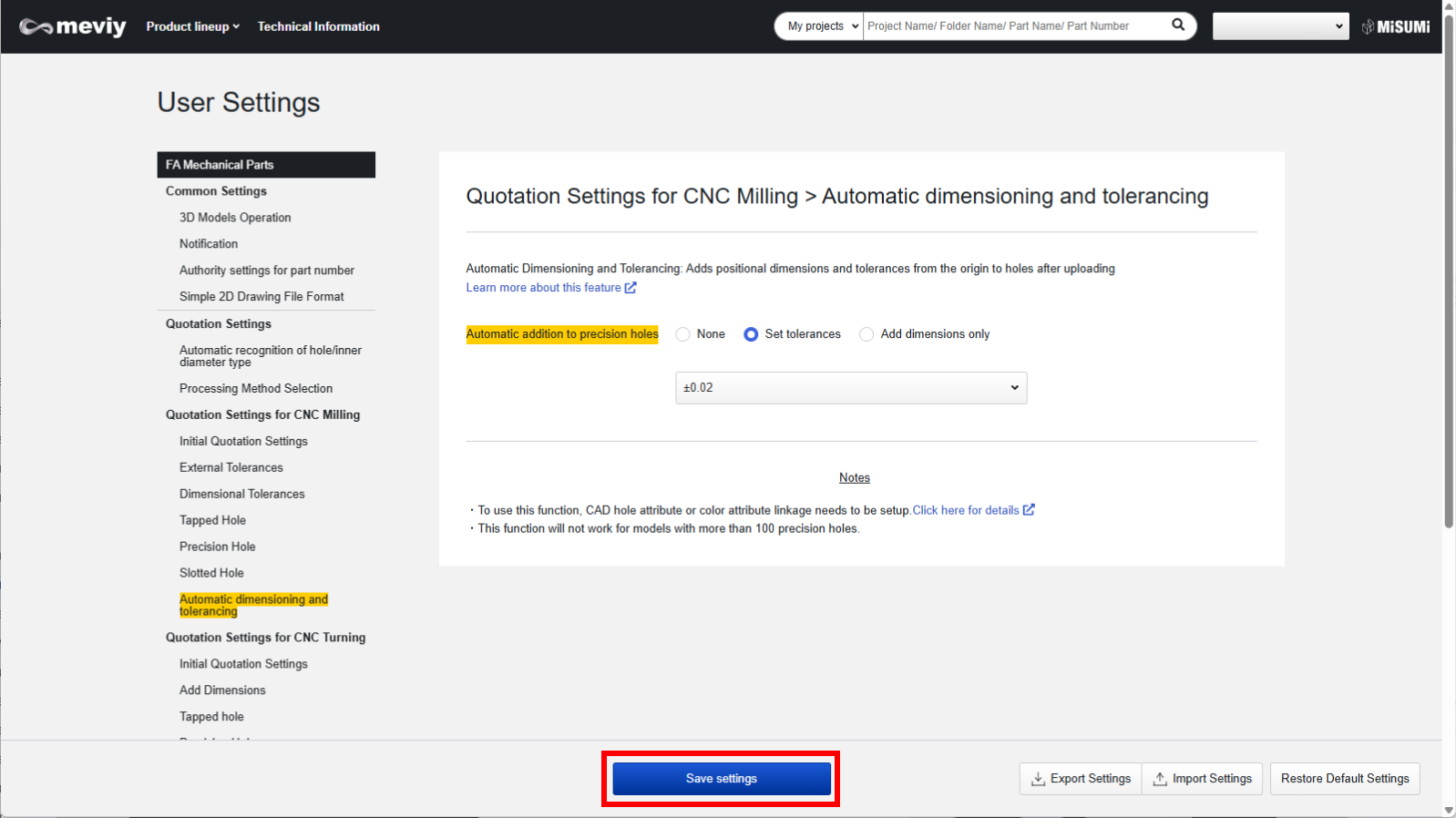
■STEP4: Click “Save Settings”.

After registering your user settings, upload your model to meviy.

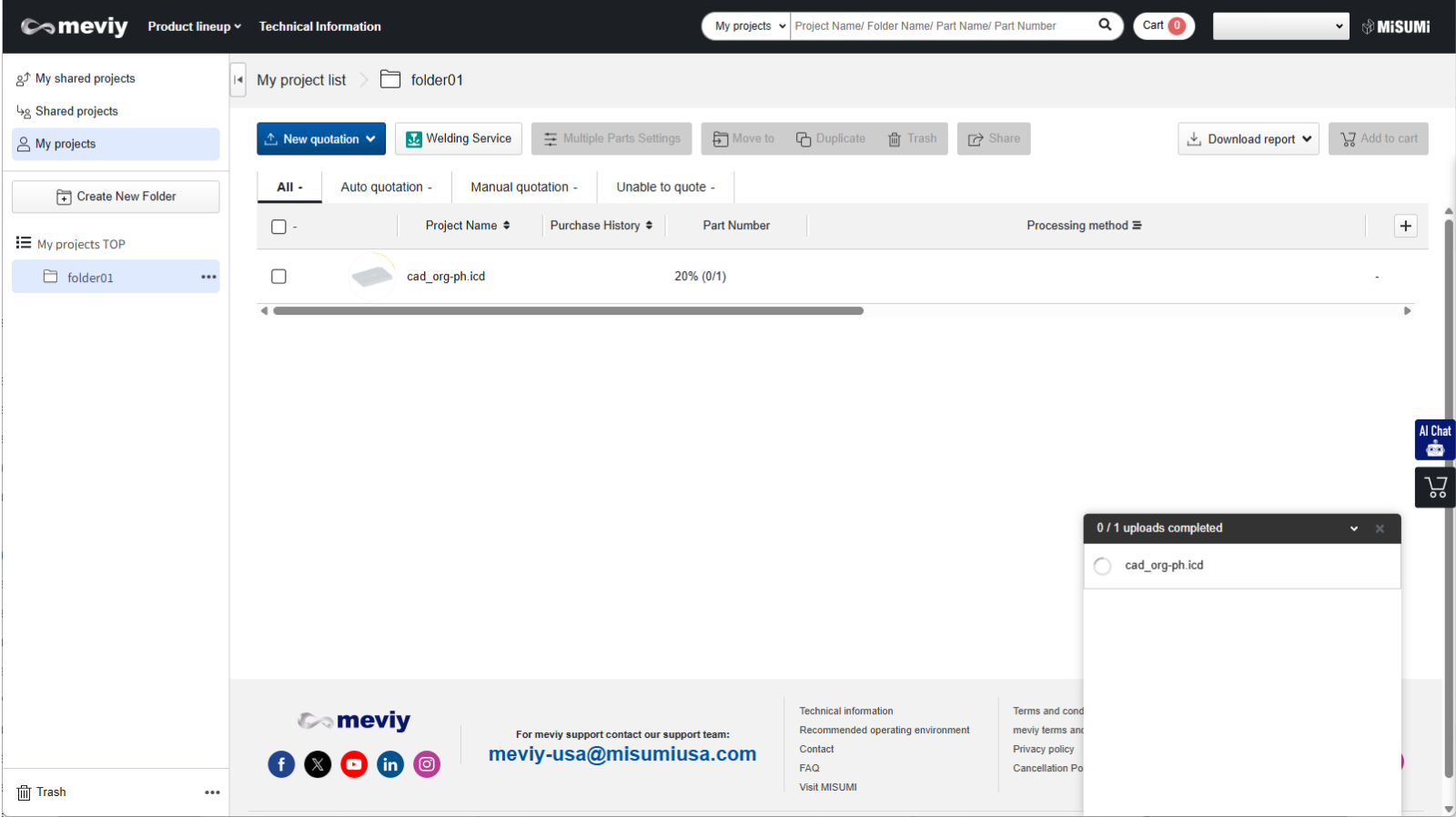
■STEP5: Upload your model to meviy.

Caution

*Please upload models created in CAD using color attributes or hole attributes.
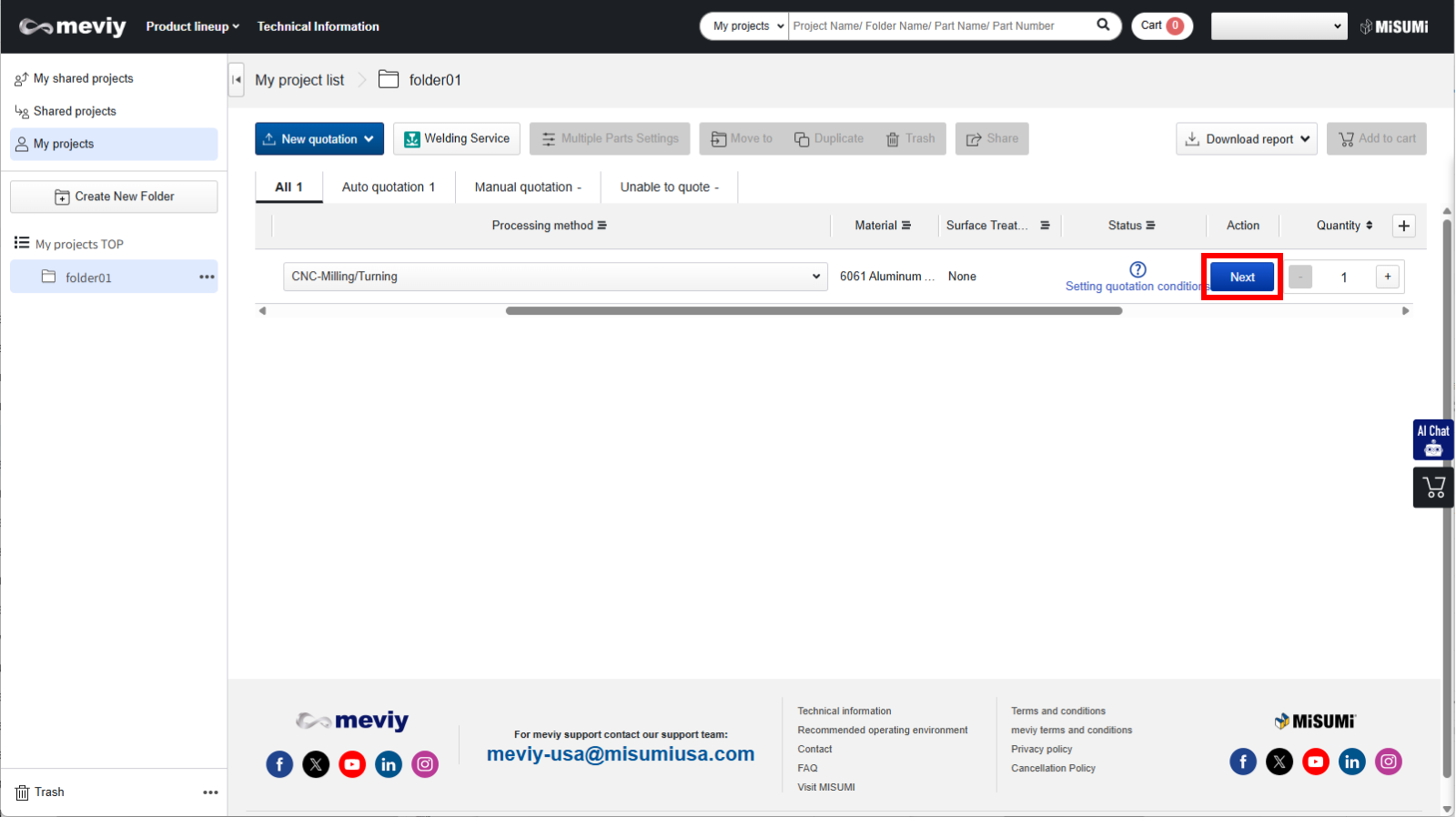
■STEP6: Click “Next” to enter the quotation screen.
When you enter the quotation screen, the position dimension tolerance registered in the user settings is automatically set.

Precaution

  • To use this function, you need to set up CAD color attribute linkage or hole attribute linkage.(Reference:Automatic hole/inner diameter type Recognition
  • If you upload a model with more than 100 precision holes, this feature will not work.

Recently viewed articles