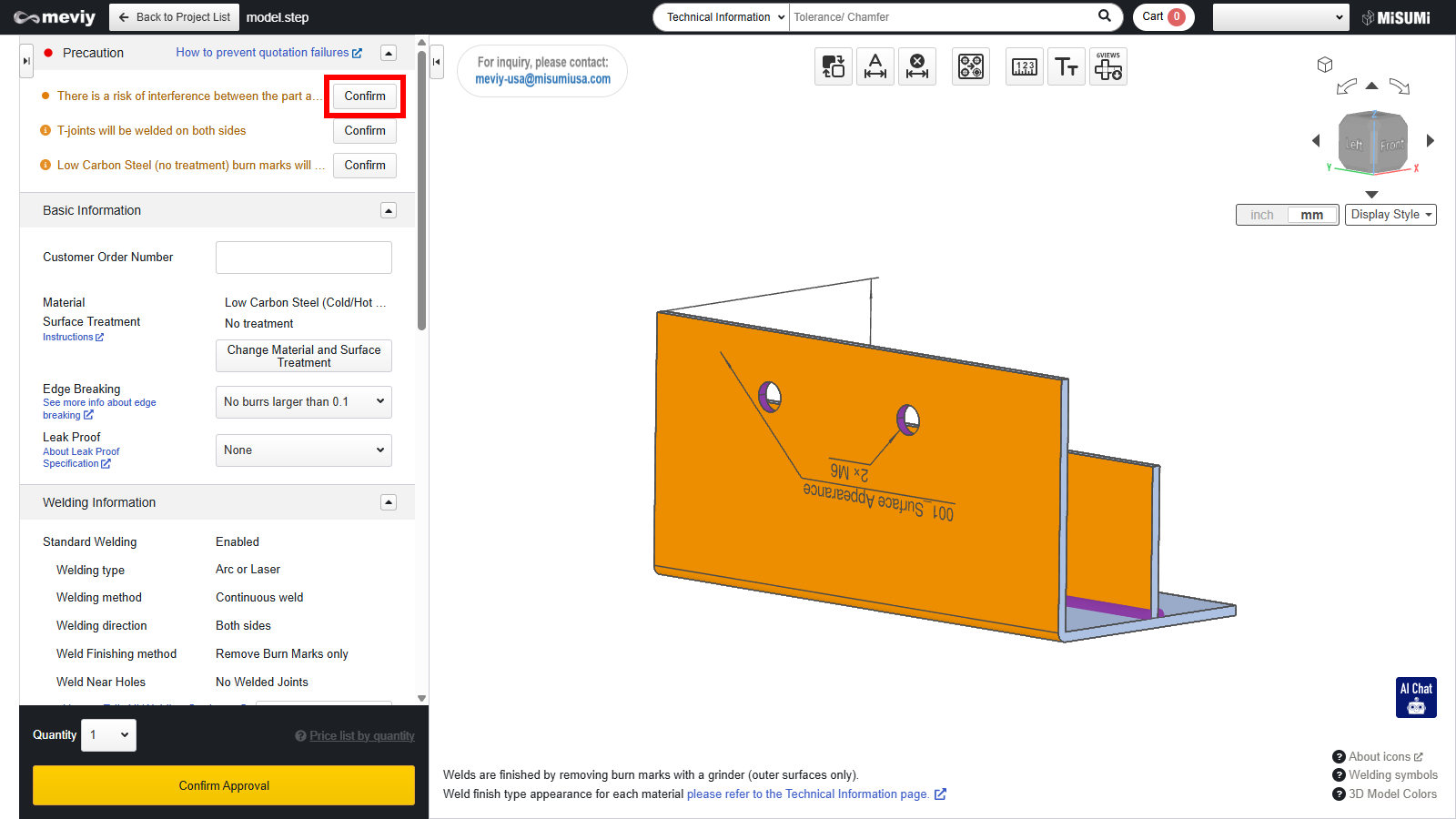
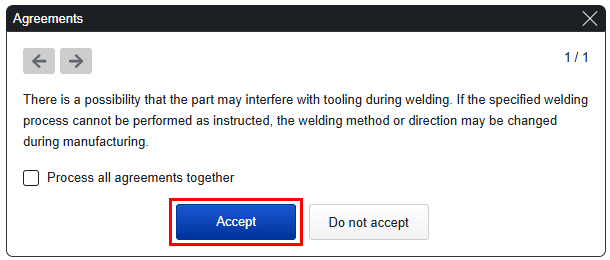
If there is a possibility that welding may be difficult, a message (agreement item) will be displayed in the precaution. If you select [Accept] on the approval message, you will be able to use the automatic quotation function. However, if you select [Decline], the automatic quotation function will not be available.
Confirming Approvals
When you click a message in the precaution, the affected area will be highlighted in the 3D Viewer.
Hover over the message to see the details.
Selecting [Accept] or [Decline] on Approval Messages
1. Click the message in the precaution.
The Approval Message dialog box will then be launched.
2. Select [Accept] or [Decline].
・You can also process all approval messages in one go.
・If you select [Accept] for all approval messages, you will be able to use the [Finalize Quote] button.
Tip
If you decline an approval message, you will still be able to request a quote from meviy support.